There are different ways to rotate an image in C#. The first is probably the easiest one but provides just the basic 90, 180, 240 and 360 degree. Here is the way to do this:
mainPicBox.Image.RotateFlip(RotateFlipType.Rotate90FlipXY);
mainPicPox.Refresh();
For this example you need the library “System.Drawing” and an image.
The next example shows how to turn an image with an given angle:
private Bitmap rotateImage(Image thisImage, float angle)
{
 var newBitmap = new Bitmap(thisImage.Width, thisImage.Height);

 using (Graphics g = Graphics.FromImage(newBitmap))
 {
  g.TranslateTransform(thisImage.Width / 2, thisImage.Height / 2);
  g.RotateTransform(angle);
  g.TranslateTransform(-thisImage.Width / 2, -thisImage.Height / 2);
  g.DrawImage(thisImage, new Point(0, 0));
 }

 return newBitmap;
}
At the end of the function the grafic draw a new image. Here I used a new point (0/0). This is the orientation of the new draw and left-top of the new picture.
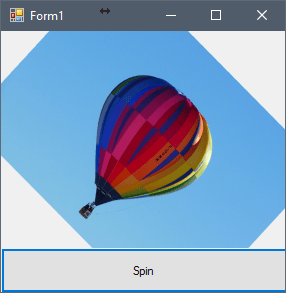
And this is the result:
 live.code.blog()
You must be logged in to post a comment.